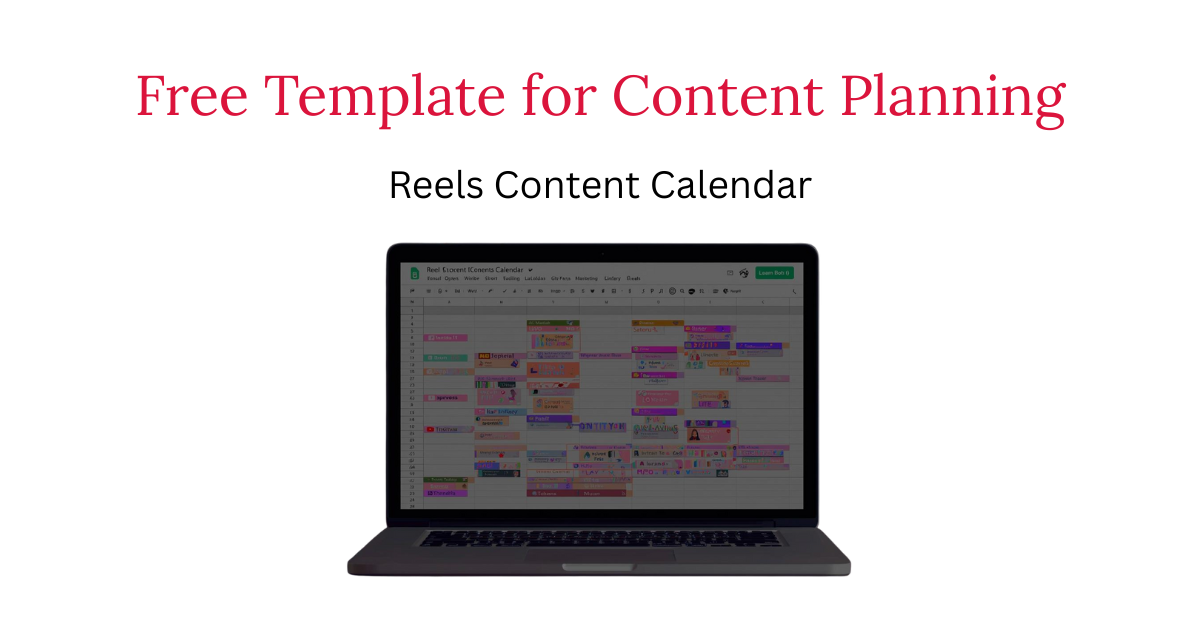
Free Instagram Reels Content Calendar Template (Google Sheet) for Small Brands
Why Planning Your Reels Matters
Short-form video drives discovery, but without a plan it becomes guesswork. One week you’re posting daily; the next week, radio silence. A simple, repeatable Instagram Reels strategy for ecommerce and local brands prevents that feast-or-famine cycle. The goal is consistency: clear hooks, focused scripts, tight captions, and intentional posting dates — all laid out before you hit record. That’s exactly what this instagram reels content calendar template helps you accomplish.
This free Google Sheet gives small teams a lightweight short form video marketing checklist you can follow weekly. Instead of reinventing your process, you’ll track ideas, assign owners, schedule posts, and measure what worked — with zero extra software.
What’s Inside the Free Template (and How to Use It)
The template is structured around a practical 10-Minute Reel System: brief → hook → script → caption. Each row is one video; each column moves you from idea to publish.
- Brief: Who is this for? What problem are we solving? (Keep it to one sentence.)
- Hooks & Openers: Pick from reels hooks examples (question, pattern interrupt, bold claim, “watch to the end”).
- Script Notes: 2–3 beats max. Think voiceover lines, on-screen actions, or cut list.
- Captions & CTAs: Use instagram reel captions that convert (e.g., “Comment ‘guide’ for the checklist,” “Save to plan your week”).
- Posting Date & Platform: Instagram by default; add TikTok/Shorts if applicable.
- Performance Notes: After posting, jot down learnings for next time.
Pro Tips: Turn the Sheet into a Growth Workflow
To maximize outcomes, layer these three practices into your weekly routine:
1) Competitor & Audience Intelligence (Pillar: Audience & Competitor Insights)
Create a tab for competitor content analysis (template + teardown workflow). Track: topic, hook pattern, format, caption angle, and visible CTA. Tag their strong performers and translate learnings into your next scripts. Pair this with social listening for small brands: mine comments, DMs, reviews, and forums for phrases to reuse (ethical UGC mining examples). You’ll script faster and sound more like your customer.
2) Offer & CTA Experiments (Pillar: Audience & Competitor Insights)
Use a simple offer testing framework: pick one goal per week (e.g., profile visits or email signups) and rotate CTAs. Compare results against lightweight CTA benchmarks by industry (even relative, not perfect). Label your rows (“CTA: Save,” “CTA: Comment,” “CTA: DM”) so performance patterns are obvious.
3) Trends & Seasonality Without the Chaos (Pillar: Trends, Culture & Inspiration)
Plan the backbone of your calendar first (evergreens), then leave 1–2 open slots weekly for opportunistic trends. Keep a tab for seasonal content ideas for brands and holiday social media ideas 2025 (promos, limited menus, events). Add a short “trend suitability” checklist so you only join trends that fit your brand. If you’re tracking reels trends [month year] or tiktok trends for brands [month year], log sound links and the adaptation notes you’ll use in your edit.
A Weekly Cadence You Can Actually Sustain
For most small teams, this cadence balances quality and frequency:
- 1 x Education / How-To: Quick win or myth-bust (Pillar: Short-Form Video Strategy)
- 1 x Social Proof / UGC Remix: Customer review, before/after, testimonial
- 1 x Product/Service Moment: Feature demo, behind-the-scenes, offer highlight
- 1 x Trend or Seasonal Tie-In: On-brand remix with a clear CTA
Within the template, tag each row by pillar so your content pillars with target keywords stay evenly represented across the month.
Headline Building Blocks You Can Reuse (Hooks & Captions)
To accelerate scripting, keep these prompt patterns handy in the sheet:
- Hook Patterns (reels hooks examples):
- “You’re doing ___ the hard way. Here’s the 10-minute fix.”
- “The mistake costing [niche] owners hours each week…”
- “Steal this [framework/template] for your next reel.”
- Caption Starters (instagram reel captions that convert):
- “Save this to plan next week’s posts.”
- “Comment ‘calendar’ for the checklist.”
- “DM us ‘template’ for the Google Sheet.”
Use one core message and vary the angle over several posts — you’ll get more mileage from each idea and clearer read-outs on what converts.
Local & Niche SEO Notes (GEO)
If you’re targeting discovery in a specific area, dedicate a column to GEO terms (city, neighborhood, service area). Work these into hooks or captions naturally: “How [Your City] boutiques can fill next week’s content calendar in 10 minutes,” “Holiday content ideas for [Your City] restaurants.” This helps align posts and blog copy with short form video marketing searches that include local intent.
From Manual to Automated
Prefer not to wrangle spreadsheets? Vizeel automates this exact planning flow behind the scenes and can deliver ready-to-post assets on a set cadence — but the free sheet is everything you need to get started today.
Get the Template
➡️ Download the Free Reels Content Calendar Template (Google Sheet)
Stop guessing your next post. Start planning like a pro.